How to Add Your First Song to Your Library on Pitch Perfect Songs
Follow this step-by-step guide to add your first song (including uploading an audio file) and start building your library!
Step-by-Step Instructions
-
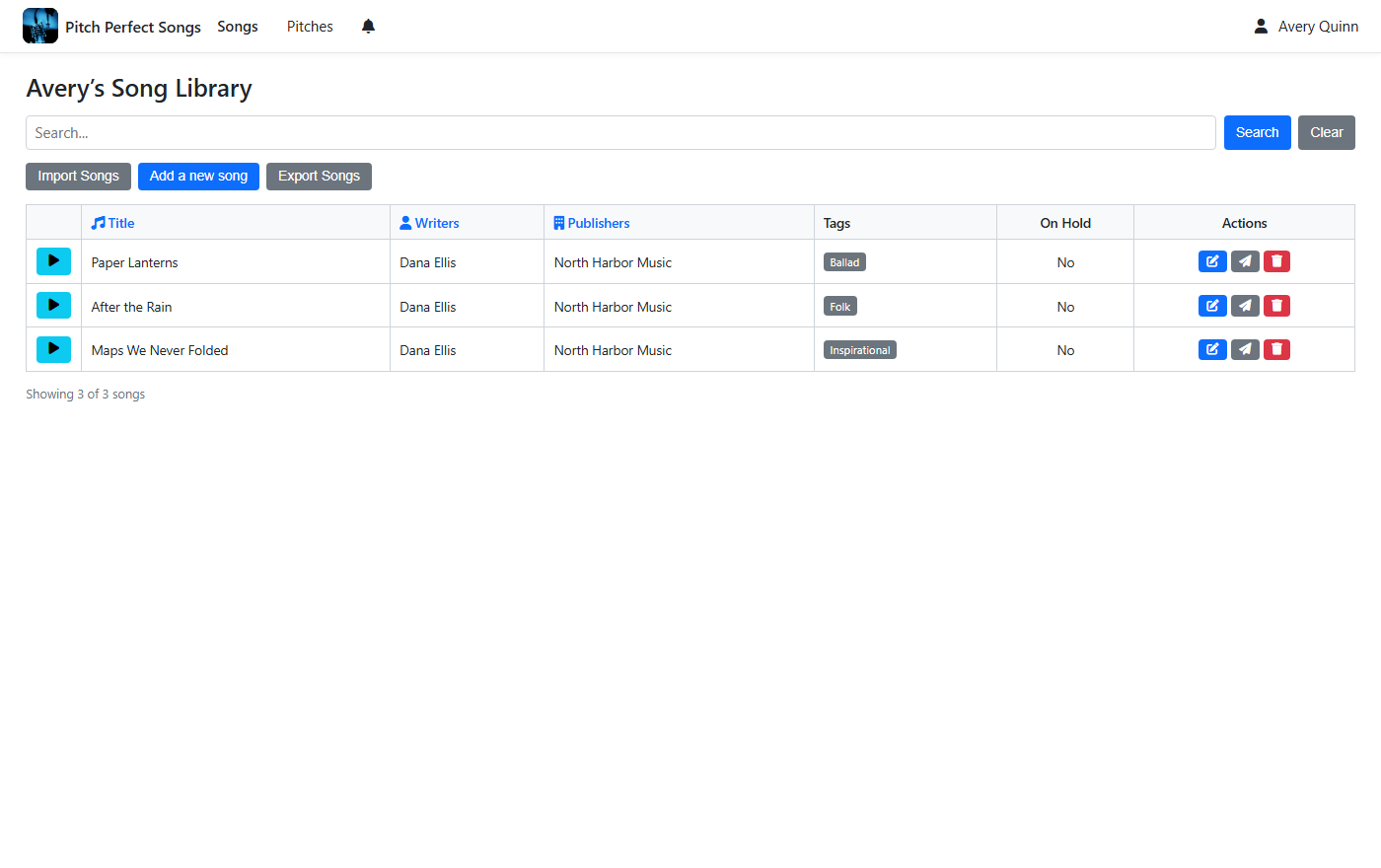
Click "Add a New Song"
Click the "Add a new song" button to start adding your song to the library.
-
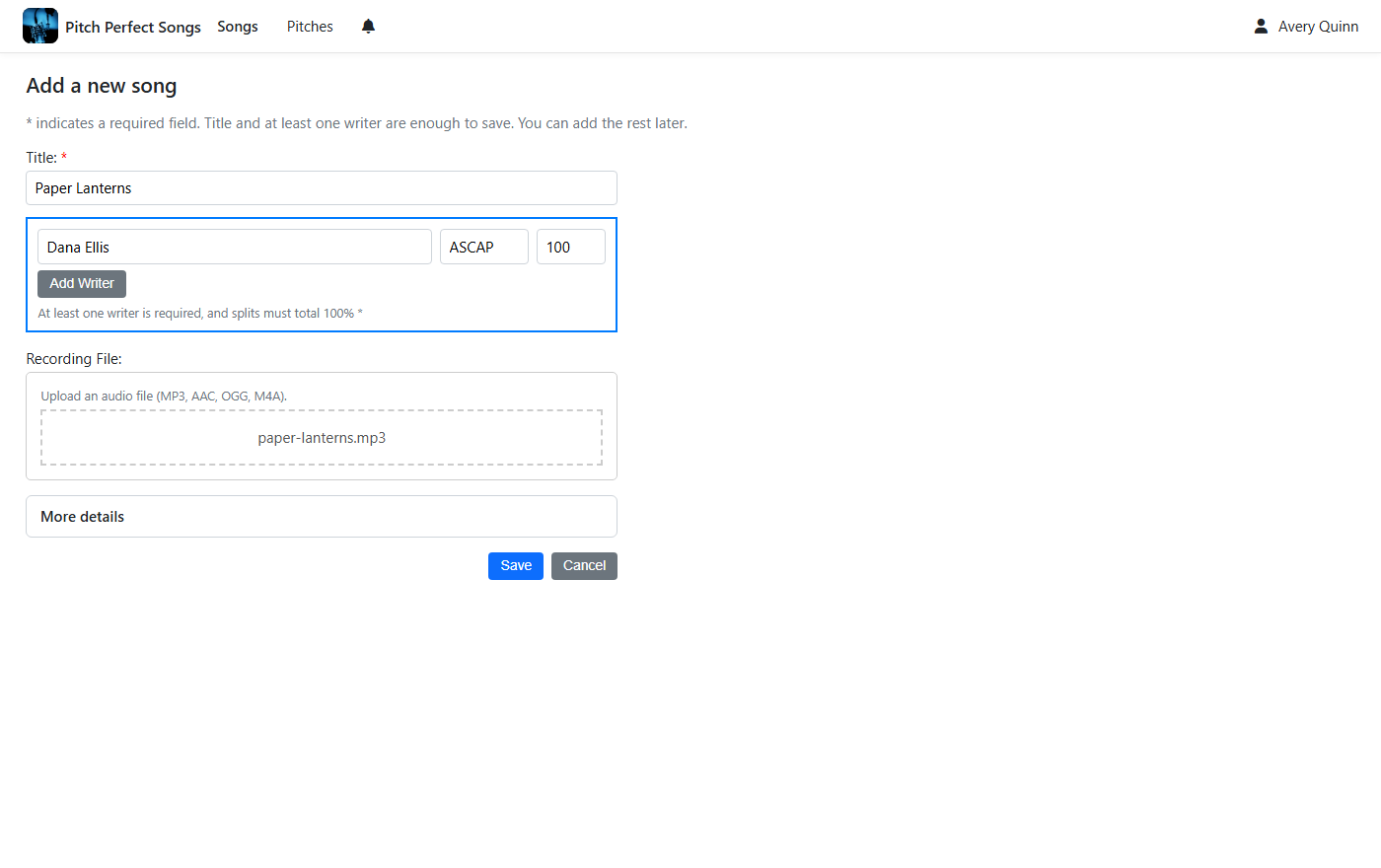
Add Song Details and Save
You'll need to provide the song title and at least one writer—everything else is optional. Feel free to add publishers or other details if you'd like. To upload an audio file, just drag and drop it into the 'Recording' section or click to choose a file. When you're all set, hit 'Save' to add your song to the library!
Ready to add your first song to your library? Let’s get started!
Add Your Song Now