How to Create Your First Pitch Link on Pitch Perfect Songs
Follow this step-by-step guide to create a pitch link and share your music with industry professionals!
Step-by-Step Instructions
Ready to pitch your song to an artist or producer? Follow these steps to create a pitch link:
-
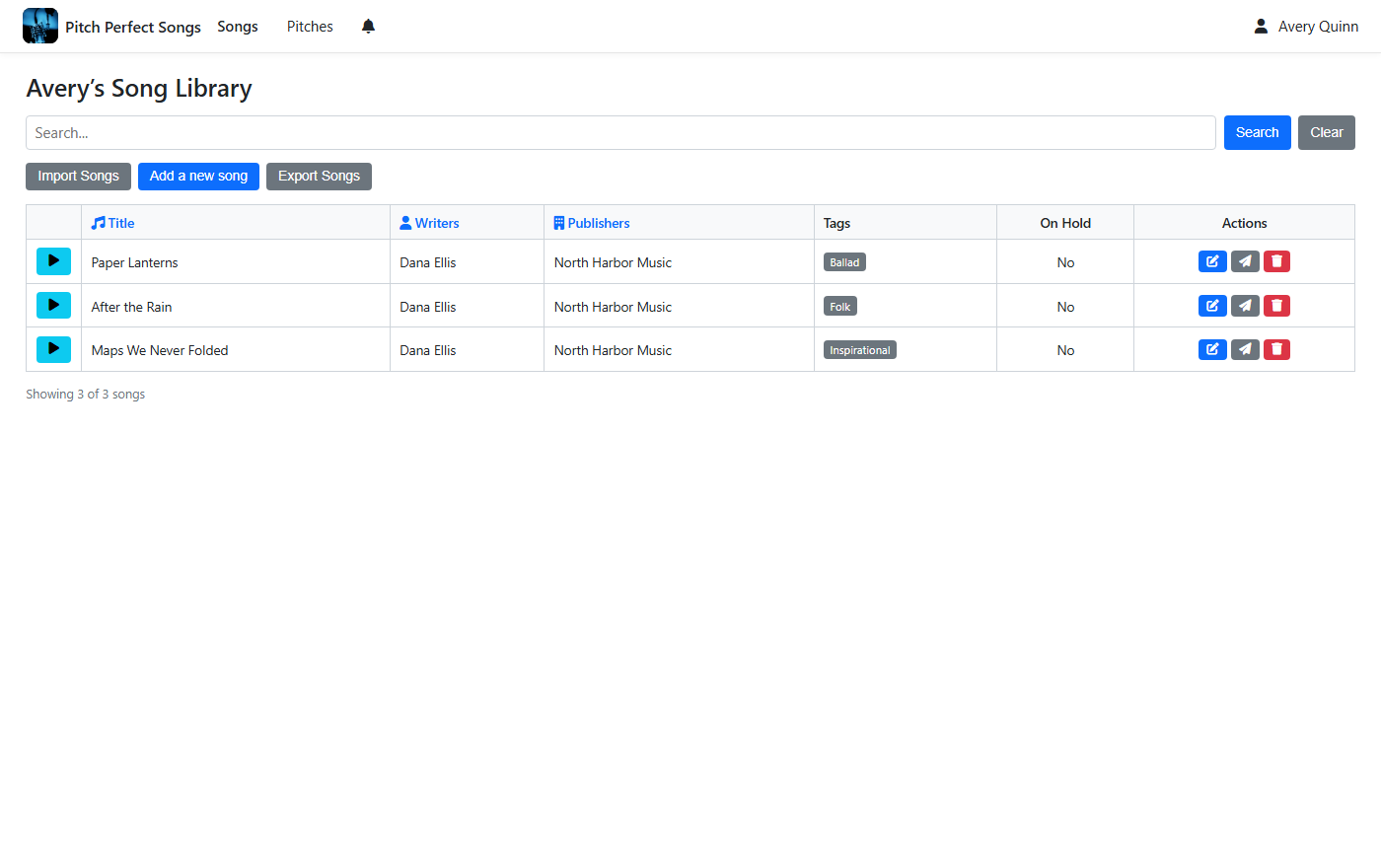
Select a Song to Pitch
From your song library, find the song you want to pitch. Click the "Pitch" button (the middle action button) for that song to view its pitches.
-
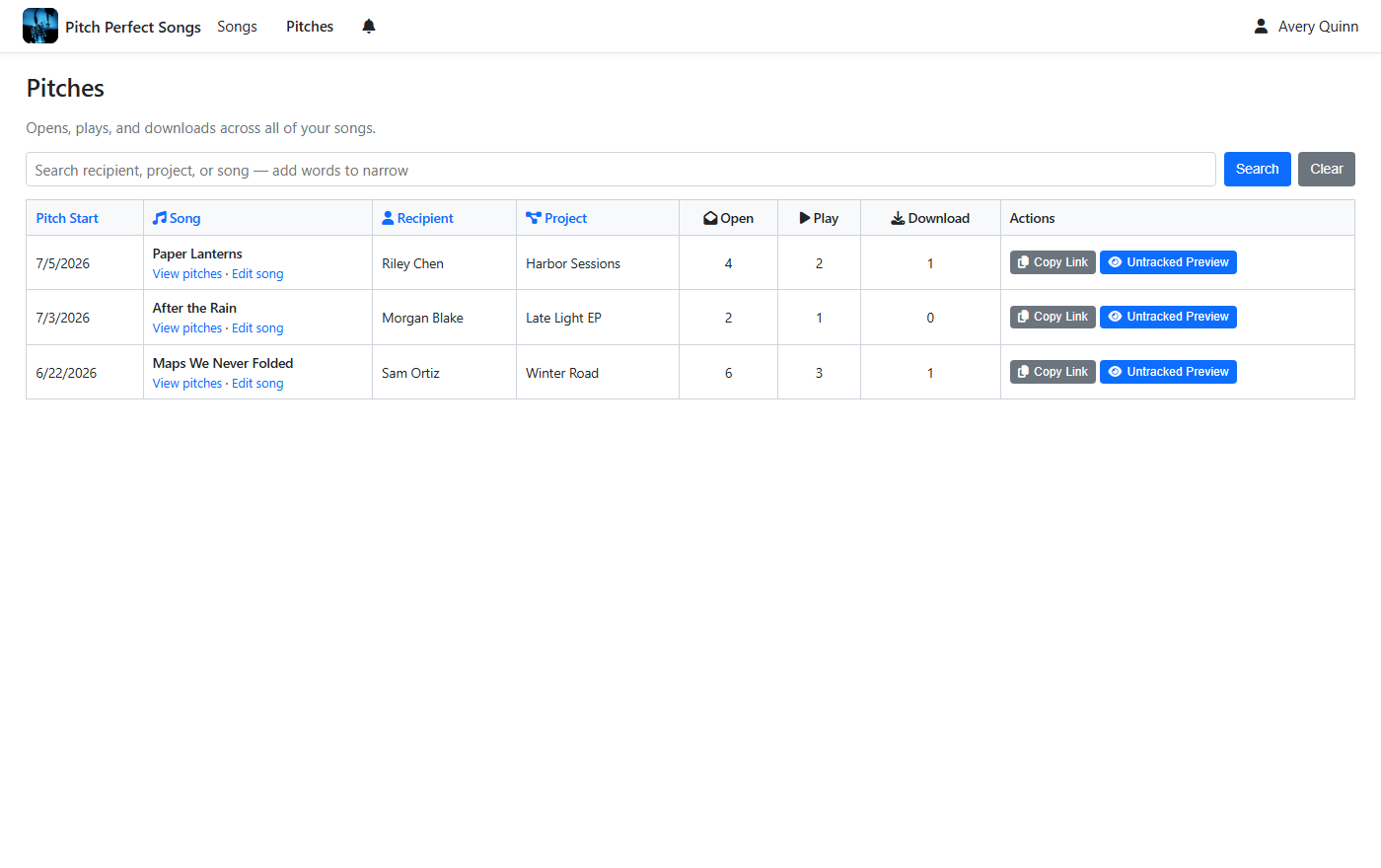
Start a New Pitch
On the pitches page for your selected song, click the "Create a new pitch" button to begin setting up your pitch.
-
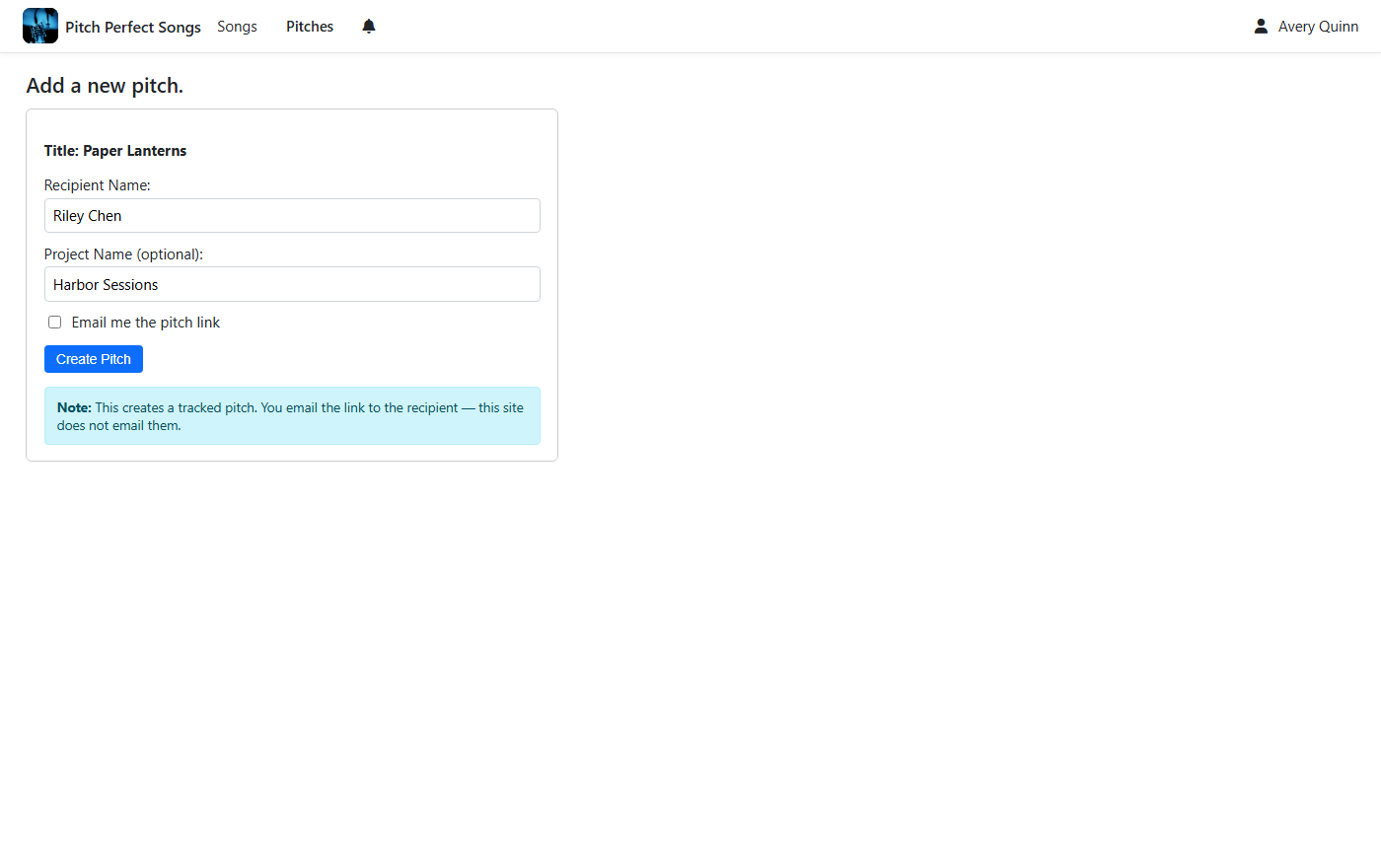
Enter Pitch Details
In the pitch form, enter the name of the recipient (e.g., “Jordan Lee”) you’re sending the pitch to. Optionally, add a project name (e.g., “Summer Album”) to help the recipient identify the project—this will be visible on the pitch. You can also choose to email yourself the pitch link.
-
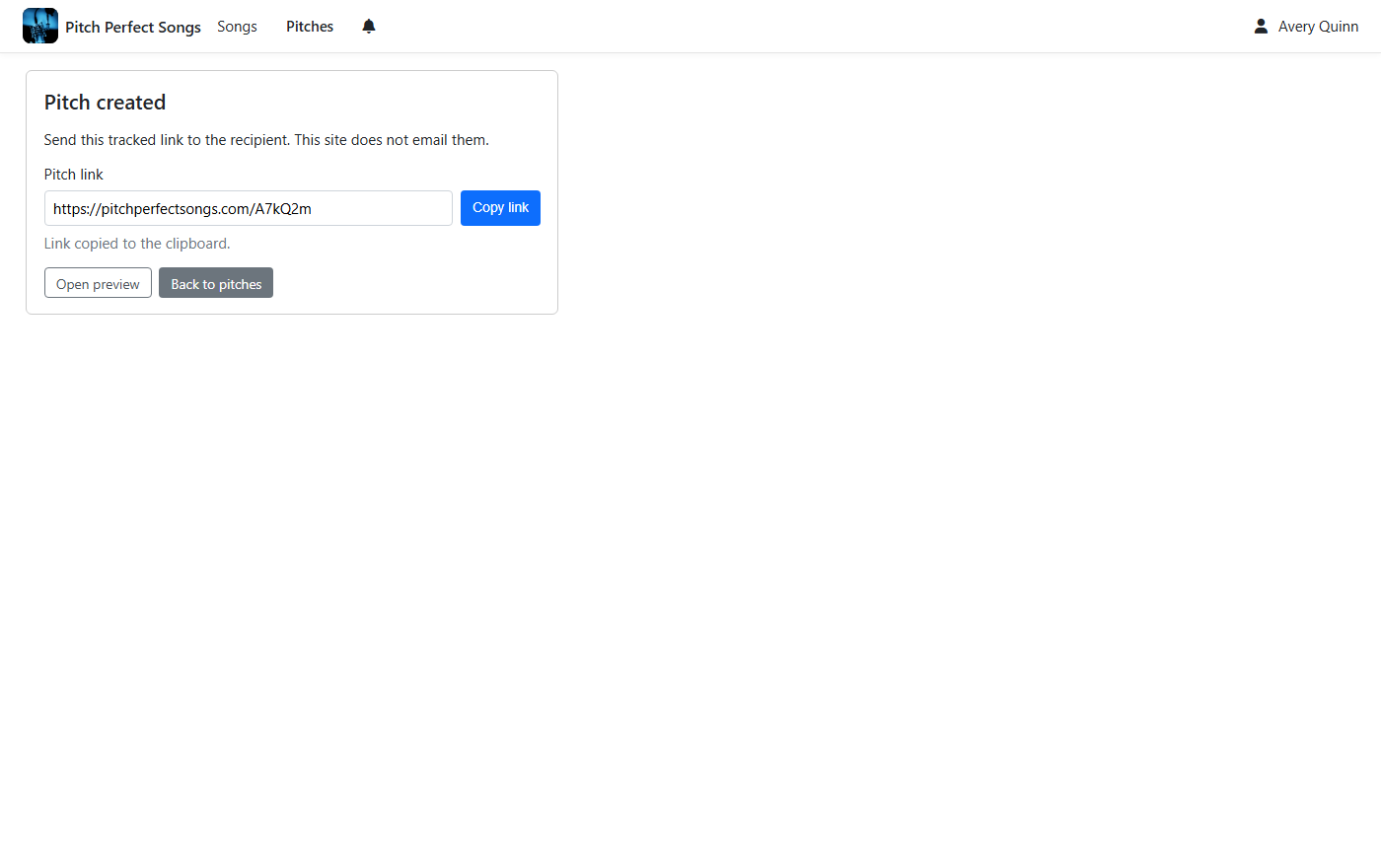
Create and Share Your Pitch
Click the "Create Pitch" button to generate a unique pitch link. A confirmation will appear, indicating the link has been copied to your clipboard, ready for you to share with the recipient. The recipient will see the song details and the project name (if provided) on the pitch, but not their own name.
Ready to create your first pitch link? Let’s get started!
Create Your Pitch Now